It is commonplace to hear the terms backup and archive mentioned together which is not surprising since both technologies support primary data storage. However, the commonalities end there. I often encounter users who imply that archive is analogous to backup. Simply put, backup and archive are not the same. In this post I will look at key differences between the two technologies.
First, let's get SNIA's view on backup versus archive. According to SNIA's online dictionary, the terms are defined as follows:
Backup: A collection of data stored on (usually removable) non-volatile storage media for purposes of recovery in case the original copy of data is lost or becomes inaccessible; also called a backup copy.
Archive: A collection of data objects, perhaps with associated metadata, in a storage system whose primary purpose is the long-term preservation and retention of that data.
SNIA states that backup and archive serve different purposes (recovery vs long-term preservation and retention) and so let's review three key differences between the two solutions.
1. The Data
Backup When backing up your data, you are protecting both active and inactive information which encompasses all of your production data. As part of the process, you are copying your vital information to a backup target such as disk or tape. It is critical to recognize that a backup is a copy of production information and the actual data still resides on the production storage systems. Thus, if your backup system suffers a catastrophic data loss, your operations could still continue normally since your production data would not be impacted; however, you would be operating at an elevated risk.
Archive Archive solutions solve a different problem. These technologies are typically used to maintaining older or inactive data for extended periods of time. Archive systems typically move older or inactive information off of primary storage to dedicated systems which are optimized for low cost long-term storage. A key differentiator from backup is that the data stored in an archive is actual production data and hence a loss of an archive system will result in permanent loss of production information. (To be fair, the information will likely be older and less active, but unlike backup, it is the only copy of the data.)
2. Access
Backup Backup applications have historically been optimized for large scale recoveries. Backup data is written in large blocks to dedicated hardware like tape libraries or deduplication appliances. This format is optimized for accelerated access to large volumes of information. Backup systems are often configured to protect not just individual data objects, but also application and OS files. You can restore objects of all sizes with a backup system, but the process is optimized for larger scale to recover a file often takes about the same amount of work as recovering an entire server. In short, a backup application is the right tool to use if you want to recover an application or a complete system.
Archive Archives are designed with very different access profiles. These systems typically store individual data objects such as files, databases or email messages and usually also capture metadata associated with each item. The result is that an archive can provide immediate granular access to stored information and so accessing an individual file or email is typically very easy in an archive system. (The metadata component can even include full content search which can further simplify access.) However, unlike backup systems, archives cannot provide full server or volume level recoveries since they typically only contain a subset if enterprise data.
3. Disaster Recovery
Backup Disaster Recovery (DR) is a core component of backup and most IT practitioners consider these two processes closely related. Typically, administrators run a backup job to protect their data and then another process to get their information offsite for DR purposes. (The offsite process typically includes either a copy to tape or a replication of backup data). These processes are mature and are typically automatically incorporated as a single stream-lined protection process.
Archive The process of maintaining archive system DR can be complex and costly. Many customers rely on replication functionality embedded inside the archive platform for DR. The challenge is that most replication implementations are proprietary and so organizations are required to purchase two identical and often costly archive systems one for the production environment and the other for the DR site. Furthermore, the ability to control replication, to rollback data to previous restore points and to manage bandwidth usage can varies widely depending on the archive system. In summary, the DR process for archive systems is very different from traditional DR.
In summary, backup and archive are two processes that solve very different problems. It is not uncommon to find customers using both in a complementary fashion. Backups are used as the primary method to protect corporate data and to enable large scale recoveries when needed. Archives, in contrast, enable cost effective retention and rapid access to important information for compliance or cost savings purposes. These two different use models have dictated very different design choices that have been made by backup and archive system providers. However, this delineation frequently confuses customers and I often find users who rely exclusively on backups as an archive. The unfortunate result is that accessing archive data becomes a complex and time-consuming process that still may not deliver what you need when you need it. Fortunately, Iron Mountain's Archival Tape Management solution can significantly ease this process; however, the best solution is
Most recent headlines
05/01/2027
Worlds first 802.15.4ab-UWB chip verified by Calterah and Rohde & Schwarz to be ...
09/10/2026
September 10 2026, 06:00 (PDT) Dolby Expands Dolby OptiView Platform with New Capabilities at IBC 2026
New Sports Intelligence helps providers better unders...
07/10/2026
Dalet, a leading technology and service provider for media-rich organizations, today announced the latest Long-Term Supported (LTS) release of Dalet Flex. Build...
02/10/2026
Design reflects feedback on graphics introduced for MLB Red Sox and Pirates games
Boston Bruins games on NESN and Pittsburgh Penguins games on SportsNet Pittsb...
02/10/2026
NEP SS7/ST7 anchors Big Ten Saturday Night; nine Peacock games are produced from...
02/10/2026
In-venue and creative video staffers at the professional and collegiate level ha...
02/10/2026
GameTime Productions provided national broadcast production services for the Athletes Unlimited Softball League (AUSL) 2026 season, with coverage distributed ac...
02/10/2026
Audio-Technica has introduced the HP-HBM50x, a genuine replacement headband for the ATH-M50x professional studio monitor headphones. The HP-HBM50x is compatible...
02/10/2026
Advanced Systems Group (ASG) has helped audio professional Steve Schatz design and build Black Lava Studios, a 9.1.6 Dolby Atmos mixing and mastering facility i...
02/10/2026
Cobalt Digital has received Best of Show awards from TV Tech and TVB Europe at IBC2026 for solutions from its PACIFIC compression line.
TV Tech recognized the ...
02/10/2026
ESPN and TMRW Sports have announced a multi-year extension of their U.S. media rights agreement for TGL presented by SoFi. The 2027 TGL season will open Sunday,...
02/10/2026
Devlin Design Group (DDG) and Clickspring Design (CSD) have announced a strategic alliance combining their design capabilities for broadcast, media, workplace, ...
02/10/2026
The National Collegiate Hockey Conference has announced a partnership with CSMG (Collegiate Sports Management Group) making the firm the exclusive representativ...
02/10/2026
Mediaproxy will exhibit at NAB Show New York (Booth 561, Javits Center, October 21-22), demonstrating new AI capabilities in its LogServer compliance platform a...
02/10/2026
Mesh Broadcast Services has installed a Calrec Argo M console in the production area of its Eclipse 40-foot mobile unit, recently moved onto a 2025 Freightliner...
02/10/2026
Vizrt has announced that Richmond AFL has signed on to use Viz Libero Teams for coaching analysis and content creation. The platform provides 3D match analysis ...
02/10/2026
Oak View Group (OVG) has announced Cisco as an Official Technology Partner. Thro...
02/10/2026
Clear-Com has announced that the Audiovisual Training Centre in d , Poland, has installed an Arcadia Central Station as the communications hub for its broadca...
02/10/2026
A major figure in international football, three-time French champion and three-time Ligue 1 top scorer, Sonny Anderson will chair the SPORTEL Awards 2026 Jury. ...
02/10/2026
California-based Bantaray Mobile Sports Production has built its mobile producti...
02/10/2026
Overtime has announced a new strategic investment led by Eldridge Capital Management. Eldridge has investments across sports and media including the Los Angeles...
02/10/2026
The Milwaukee Bucks have launched Bucks , a direct-to-consumer streaming service that expands access to Bucks games during the 2026-27 season for fans statewide...
02/10/2026
v1.9.3 introduces AUv3 support
Roland have just released an update that kits their free iPad-based software synth out with AUv3 support, meaning it can now ...
02/10/2026
Dolby Atmos support, AI-powered stem separation & more
The latest version of MOTU's DAW software is now available, and marks a major step forward with t...
02/10/2026
Portable DAC created in collaboration with Steve Levine
British hi-fi experts iFi audio have unveiled a new Master Tuned variant of their praised iDSD GR2 p...
02/10/2026
New SBS podcast How Australia Works helps migrants to navigate Australia's d...
02/10/2026
01 October 2026 | Johannesburg, South Africa - The National Film and Video Foundation (NFVF), an entity of the Department of Sport, Arts and Culture (DSAC), is ...
02/10/2026
In our latest blog, Tim Pearson looks at streaming piracy from a different lens, focusing on digital trust, consumer risk, and the future of subscriber protecti...
02/10/2026
Share
Copy link
Facebook
X
Linkedin
Bluesky
Email...
02/10/2026
Share
Copy link
Facebook
X
Linkedin
Bluesky
Email...
02/10/2026
Share
Copy link
Facebook
X
Linkedin
Bluesky
Email...
02/10/2026
Share
Copy link
Facebook
X
Linkedin
Bluesky
Email...
02/10/2026
Haymaker VFX acquires SWISS
Brie Clayton October 2, 2026
0 Comments
Stockholm-based, globally recognized creative team becomes part of Haymaker VFX in...
02/10/2026
Treasure & Dirt Shot with URSA Cine 17K 65
Brie Clayton October 2, 2026
0 Comments
DP Edward Goldner, ACS, relied on 65mm sensor to capture vast deser...
02/10/2026
Sonnet Announces Industry's Only Bus-Powered 10 Gigabit Ethernet Thunderbolt...
02/10/2026
Mediaproxy brings AI driven monitoring and browser based multiviewing to NAB Sho...
02/10/2026
Cobalt Digital's Pacific Line Wins Two Future Best of Show Awards at IBC
Brie Clayton October 1, 2026
0 Comments
Manufacturer receives honors from...
02/10/2026
Share
Copy link
Facebook
X
Linkedin
Bluesky
Email...
02/10/2026
Share
Copy link
Facebook
X
Linkedin
Bluesky
Email...
02/10/2026
Share
Copy link
Facebook
X
Linkedin
Bluesky
Email...
02/10/2026
Share
Copy link
Facebook
X
Linkedin
Bluesky
Email...
02/10/2026
Share
Copy link
Facebook
X
Linkedin
Bluesky
Email...
02/10/2026
Share
Copy link
Facebook
X
Linkedin
Bluesky
Email...
02/10/2026
Cinematographer Andres Arochi was on his way back from filming in Spain when he got the call that Tim Burton would be directing a music video for Lady Gaga and ...
02/10/2026
Cobalt Digital's Pacific Line Wins Two Future Best of Show Awards at IBC
Manufacturer receives honors from both TV Tech and TVB Europe for advancements in...
02/10/2026
Maxon, maker of powerful, approachable software solutions for creators working in 2D and 3D design, motion graphics, visual effects and visualization, today ann...
02/10/2026
The strengthened TriCaster portfolio increases accessibility to leading media technology, drives more creative experiences, and scales with every production wit...
02/10/2026
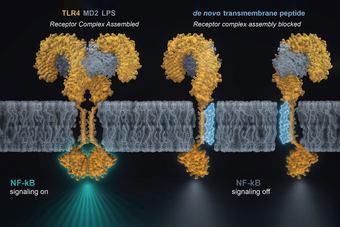
LA JOLLA, CA-To sense their environment and respond accordingly, cells enlist me...
02/10/2026
Friday 2 October 2026
Crystal Lake, a Friday the 13th' prequel series, com...
02/10/2026
Friday 2 October 2026
Sky VIP helps families celebrate the Christmas season wit...














 It is commonplace to hear the terms backup and archive mentioned together which is not surprising since both technologies support primary data storage. However, the commonalities end there. I often encounter users who imply that archive is analogous to backup. Simply put, backup and archive are not the same. In this post I will look at key differences between the two technologies.